
For SuiPlay0X1
Rare OS
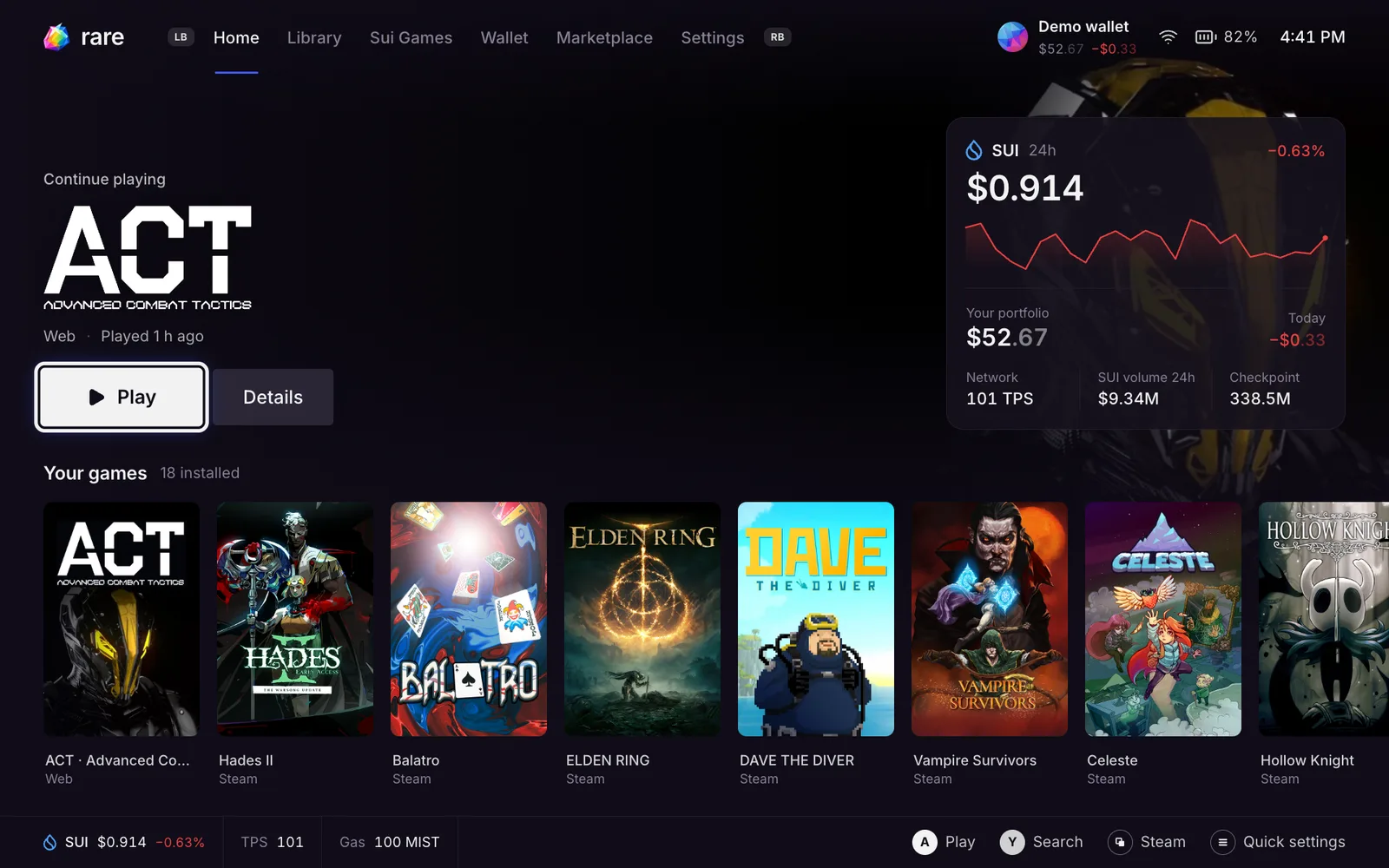
A new system for your SuiPlay0X1. Steam, every Sui game, a wallet you control and the Rare Marketplace, in one launcher built for the controller.
Free. Your games and files stay.
Why switch
Made for this device
Built around the SuiPlay0X1 screen, controls and power limits. Performance, frame limit, brightness and volume are one button away.
One library for everything
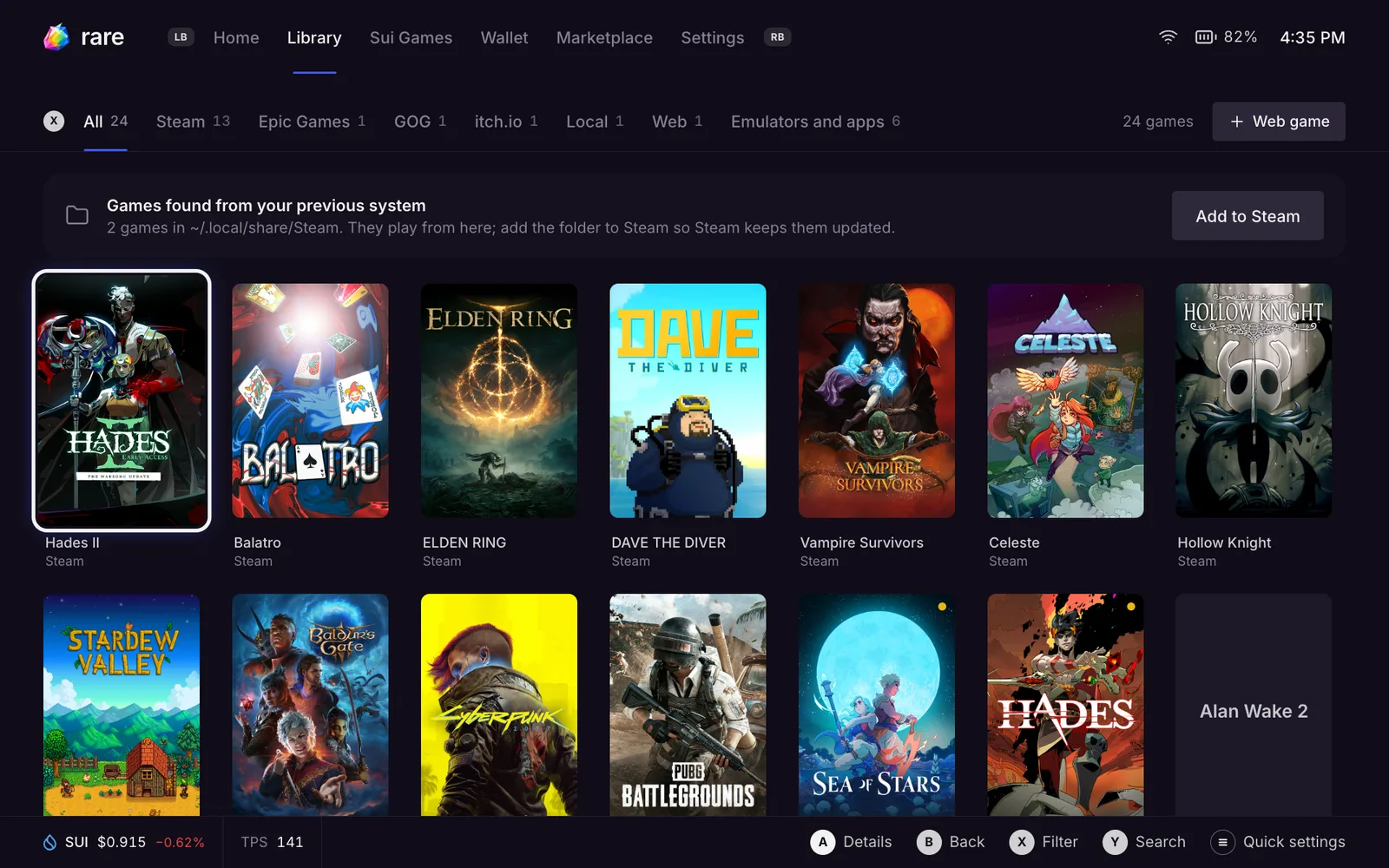
Steam, Epic, GOG, itch.io, web games and game folders in one place. Games already on the device, or on an SD card, show up by themselves.
Updates you can undo
Every update is a complete, signed system image. The previous version stays installed, so you can always go back to it.
Your assets, your keys
Rare Wallet keys belong to you. No company account sits between you and your coins and NFTs.
What you get
Steam
The real Steam client, one press away. Steam games launch through Steam, so Proton, Steam Input, achievements and the overlay work like on a Steam Deck.
Every Sui game
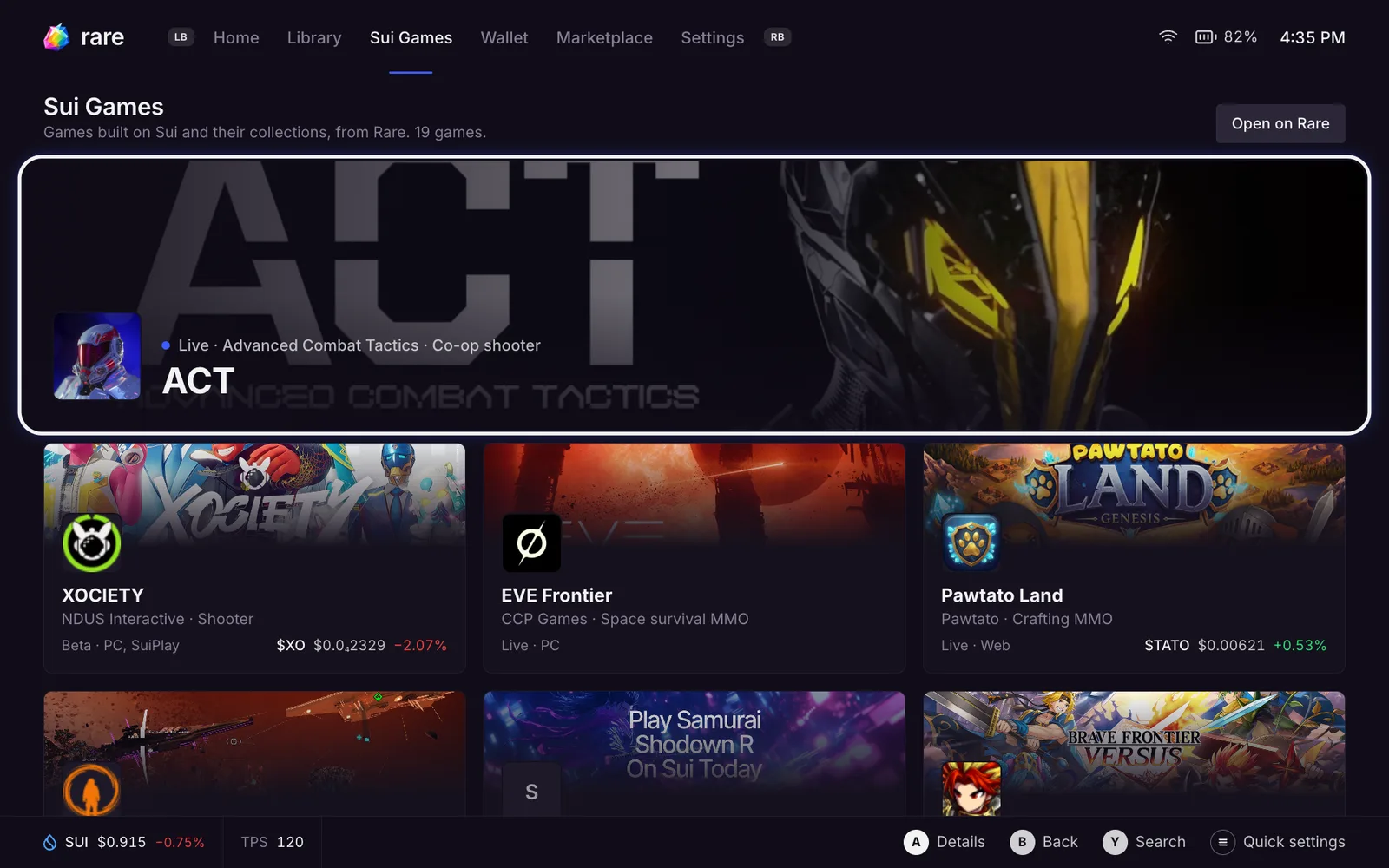
Sui games in one place. Web games run full screen with the controller, the on-screen keyboard and your wallet already connected.
Rare Marketplace
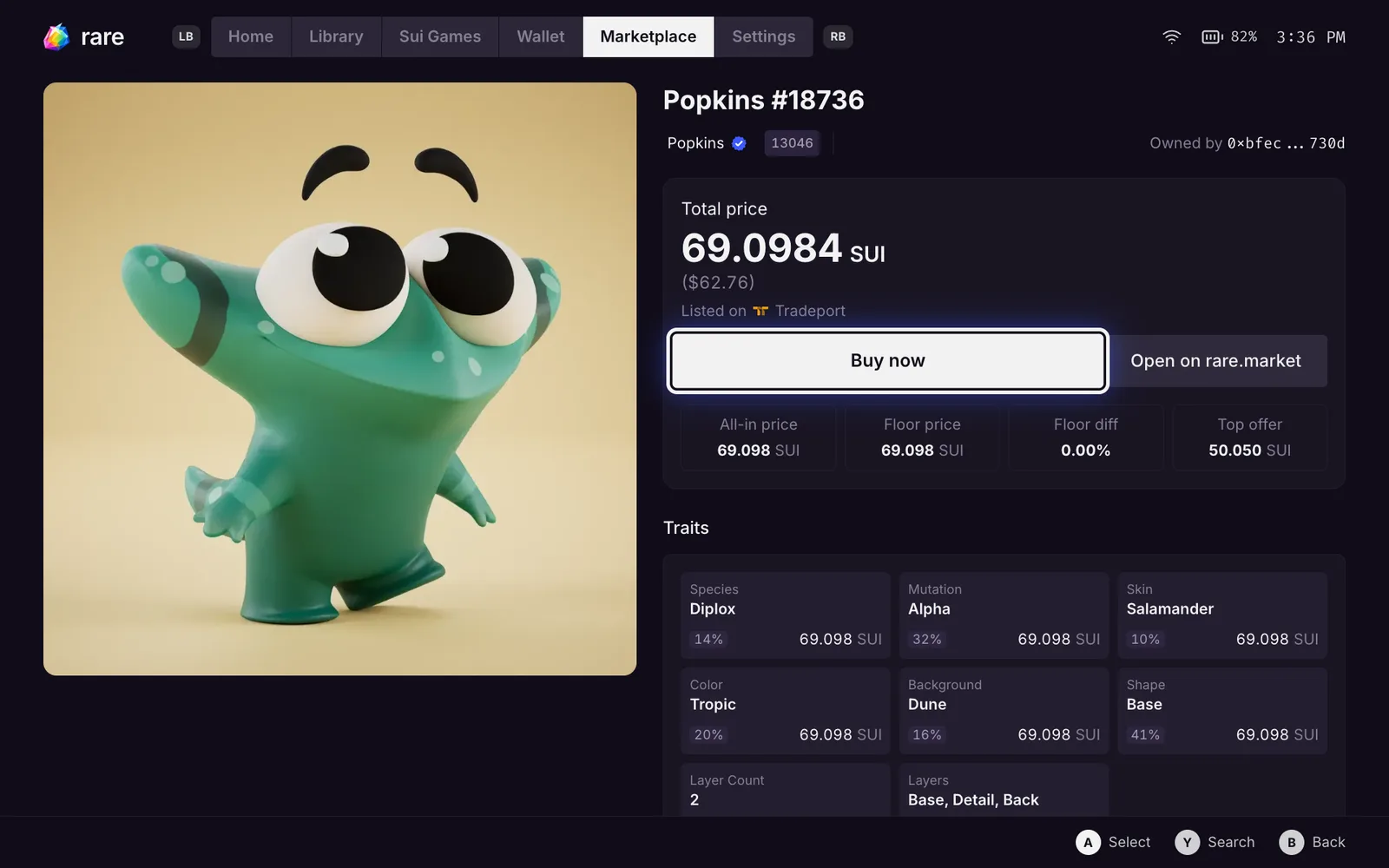
Browse, buy and sell Sui NFTs with the controller, with listings from every major Sui marketplace in one place.
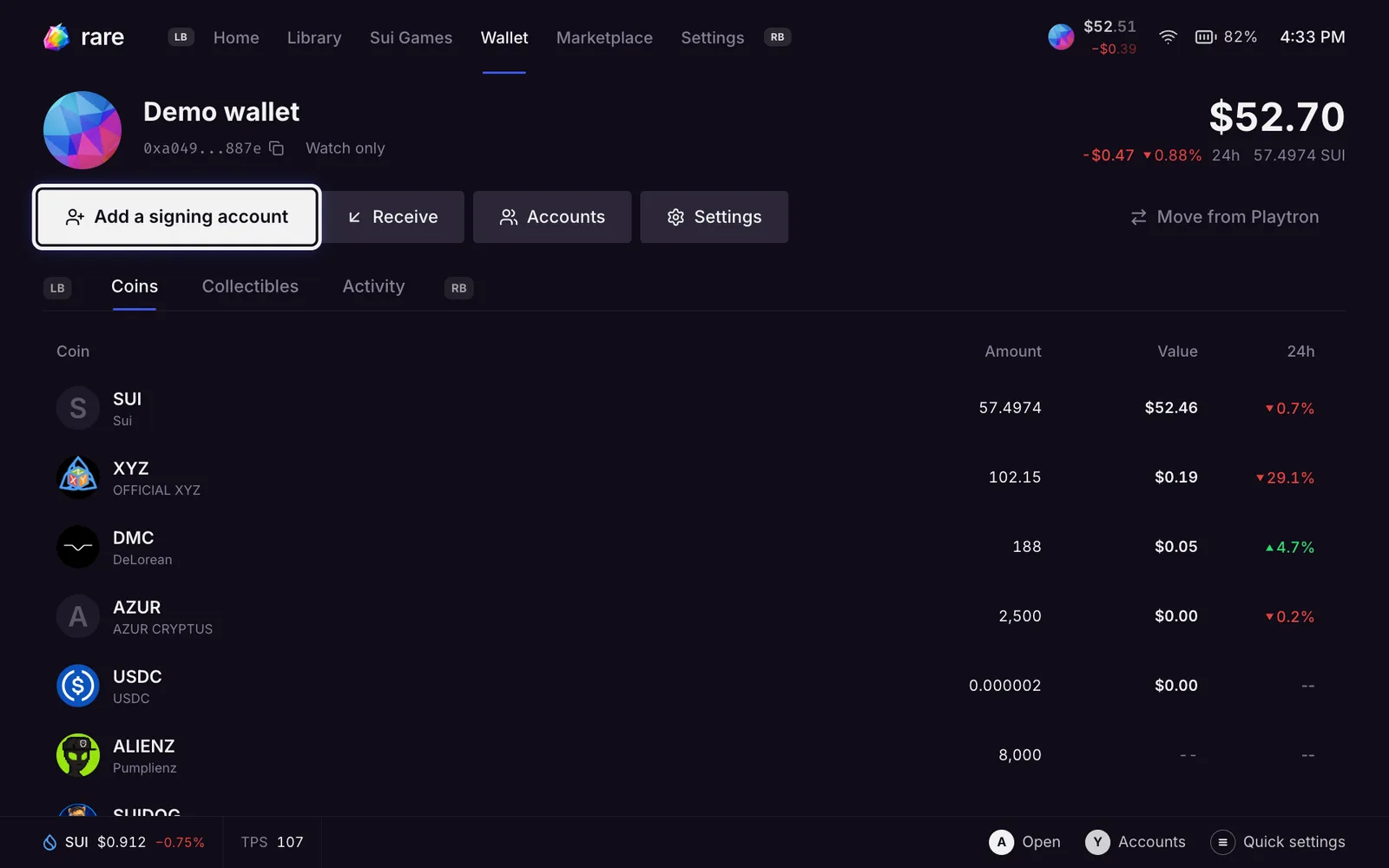
A wallet you control
Sign in with a passkey on your phone or a security key. Ledger works too. No recovery phrase to type on a handheld, and nobody else holds your keys.
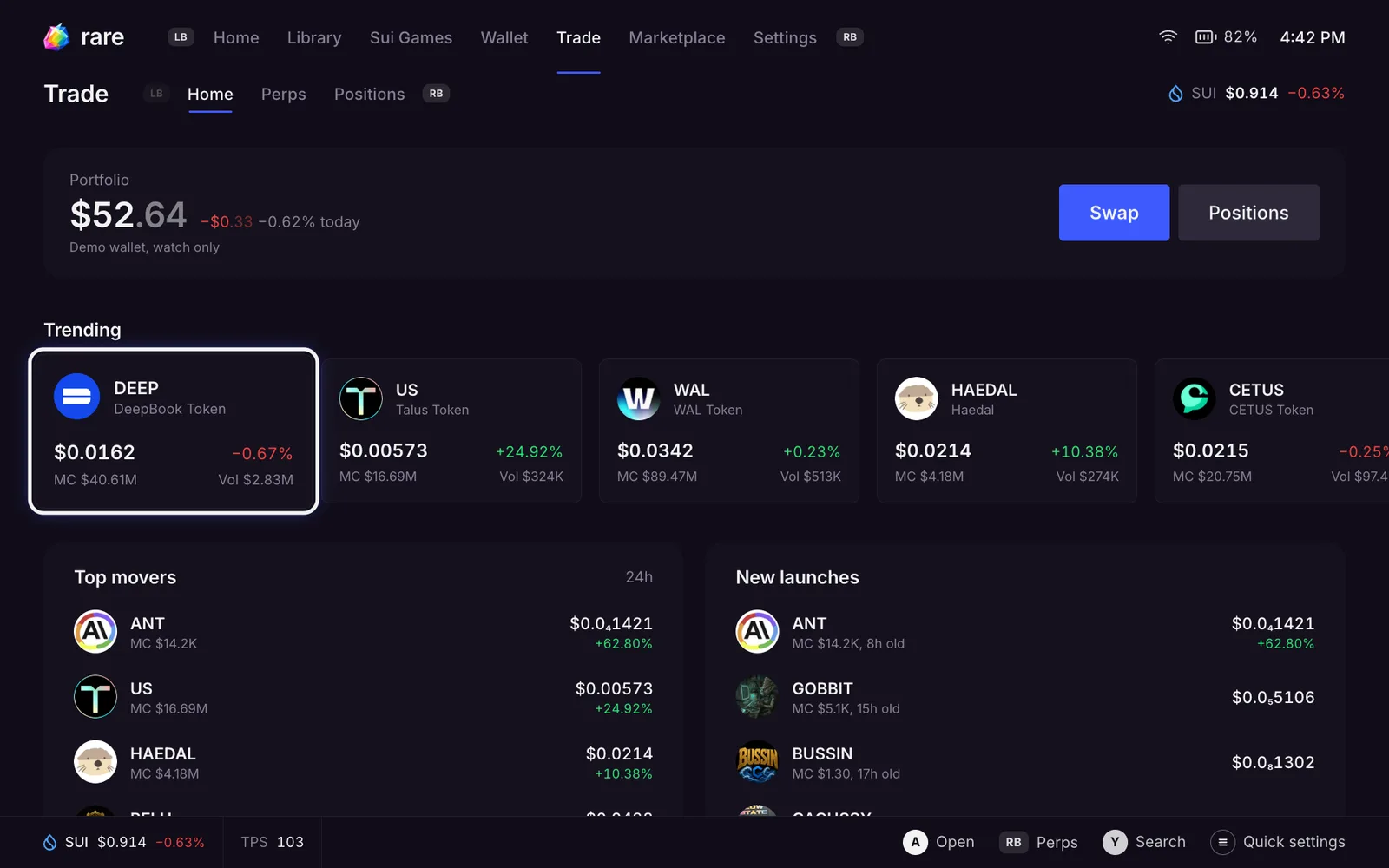
Trading
Swap coins at the best price across Sui exchanges and trade perps without leaving the launcher.
Cloud saves
Steam Cloud keeps your Steam saves in sync, so your progress follows you between Rare OS, a Steam Deck and your PC.
Three ways to install
Every way can be undone. Start with the first one if you are not sure.
- 1
Switch in place
Recommended
Rare OS downloads over Wi-Fi and installs next to your current system. Your home folder, games, Wi-Fi and Bluetooth stay.
Needs: Wi-Fi, about 20 GB free, and a computer on the same Wi-Fi or a USB-C keyboard.
Undo: one command, or pick the old system in the boot menu.
Get Rare OS - 2
Try it from a USB-C drive
Put Rare OS on an external USB-C SSD and boot from it. Nothing on the SuiPlay changes. Unplug the drive to get your old system back.
Needs: a USB-C SSD and a Linux computer with podman.
Undo: unplug the drive.
- 3
USB-C installer
Coming soon
Write the installer to a USB-C stick and start from it. It erases the internal drive and installs a clean Rare OS. Games on the SD card stay.
Needs: a USB-C stick of 16 GB or more.
Undo: reinstall the old system from its own installer.
Get Rare OS
One command switches the device over. It checks battery, disk space and network first, and asks before it changes anything.
curl -fsSL https://rare.market/os/get | sudo bashOn a SuiPlay0X1
- 1
On the SuiPlay, open Settings, then Advanced, and turn on Remote Access. Then open Settings, Internet, your Wi-Fi network, and note the IP address.
- 2
On a computer on the same Wi-Fi, open a terminal (on Windows, PowerShell) and sign in to the SuiPlay. The password is playtron.
ssh playtron@<IP> - 3
Run the command above and answer y. It downloads about 8 GB, which takes 10 to 30 minutes on good Wi-Fi.
- 4
Restart. The SuiPlay starts on the Rare Launcher.
No computer? Plug a USB-C keyboard into the SuiPlay, press Ctrl + Alt + F3, sign in with the same user and password, and run the command there.
After the switch, change the default password: open a terminal in desktop mode and run passwd.
Other image-based Linux handhelds and PCs
Open a terminal and run the same command, then restart.
Changed your mind?
Your previous system stays installed. Run the command below and restart, or hold Shift while powering on with a keyboard attached and pick the older entry.
sudo bootc rollback && sudo rebootUSB-C installer Coming soon
The installer image is not published yet. It will be here, with step-by-step instructions for writing the stick.
Move your assets from your Playtron wallet
Wallets made on the SuiPlay's original system sign only through Playtron's sign-in. There is no recovery phrase to export, so if that sign-in stops working, whatever is on the address can't move anymore. Move it to a wallet you control before you switch.
- 1Get an address you controlRare Wallet with a passkey or Ledger, or any Sui wallet whose recovery phrase you hold.
- 2See everything on the old addressEnter your Playtron address in the Move your assets step when Rare OS first starts, or later in Rare Wallet. It lists coins, NFTs, kiosks, staked SUI, SuiNS names and items that can't move. Read only.
- 3Sign on Playtron's own screenApprove the moves on the original system while you still have it. Rare never sees your Playtron sign-in.
- 4Move in the right orderRare puts the moves in order for you: kiosks first, then staked SUI (it moves as it is and keeps earning), SuiNS names and NFTs, and coins last so there is SUI for every fee.
- 5Check what's leftRare Wallet keeps watching the old address, so late airdrops show up too.
What can't move
- The pre-order Eternal NFT. It is bound to the address, so claim anything that needs it first.
- Items locked by a transfer rule that can't be met.
- Items held inside a game. Withdraw them in the game first.
Questions
Will I lose my games and files?
Not with Switch in place. Your home folder, Steam library, installed games, Wi-Fi networks and Bluetooth pairings stay. Only the USB-C installer erases the internal drive.
How do I go back?
The old system stays installed next to Rare OS. Run sudo bootc rollback and restart, or pick the older entry in the boot menu. You can switch forward again the same way.
What happens to my Playtron wallet?
Nothing moves by itself. Move your assets to a wallet you control before you switch, while Playtron's sign-in still works. The steps are above.
Do my Steam games work?
Yes. Steam runs as it does on a Steam Deck, with Proton, cloud saves and achievements. If a game's anti-cheat blocks Linux, its page tells you before you press Play.
How long does it take?
About 8 GB downloads in 10 to 30 minutes on good Wi-Fi, then one restart. Keep the SuiPlay on the charger.
Does it cost anything?
No. Rare OS is free.
How do updates work?
Rare OS downloads each update as a complete signed image and switches on the next restart. The previous version stays as the fallback.
Does it run on other handhelds?
It is built for the SuiPlay0X1 first. The switch command also works on other image-based Linux systems, and the USB-C installer will cover other x86 handhelds and PCs.
Do I need an account?
No. Your games work without signing in. Rare Wallet, the marketplace and trading use a passkey or Ledger that only you control.